Prescription orders · coming soon
Snap your prescription, we do the rest.
When MedMate launches, you will upload a photo of your doctor’s prescription and get the medicines on it from a licensed pharmacy near you. A pharmacist checks it before packing, and it stays in the app for your next refill.
Scan to open it in the app
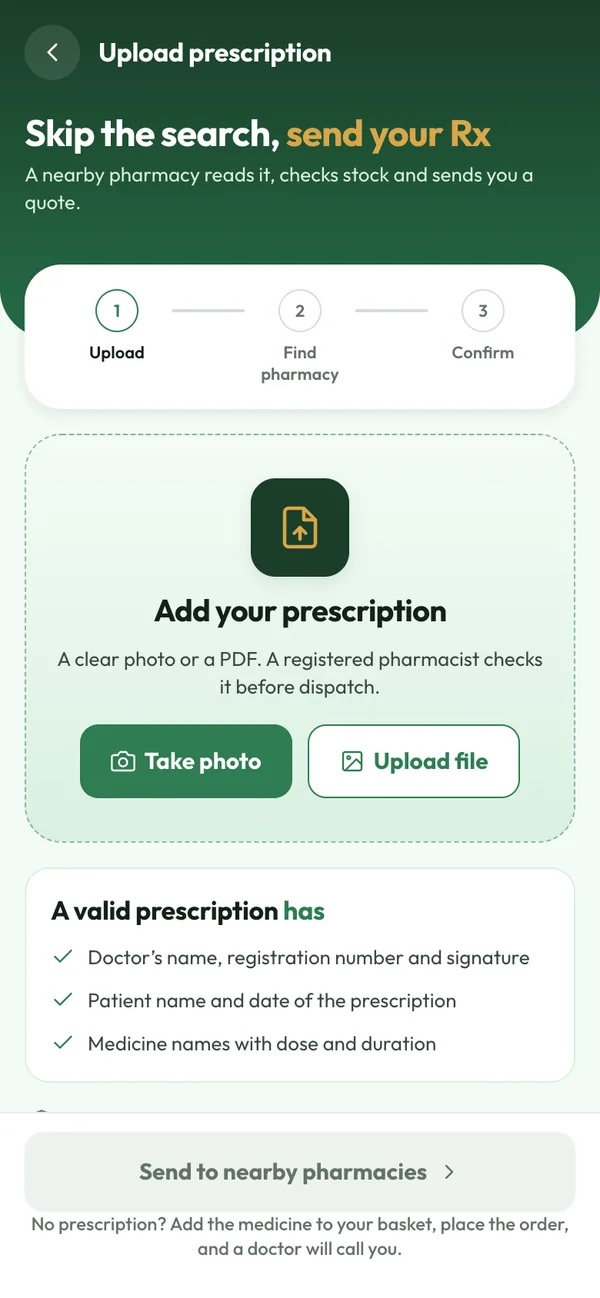 App preview · sample data
How it works
Done in 3 steps
- Step 1
Take a clear photo
Capture the whole page: doctor’s name and registration number, date, your name and the medicines. PDFs will work too.
- Step 2
Get pharmacy quotes
Pharmacies near you will confirm what they have and what it costs. You pick the one that suits you.
- Step 3
Checked, packed, delivered
The pharmacist verifies the prescription, packs your order, and a rider brings it to your door.
Checked by a pharmacist
Every prescription is reviewed by a registered pharmacist before anything is dispensed.
Easy refills
Your prescriptions are saved, so reordering a regular medicine takes a tap.
For the whole family
Upload and keep prescriptions for parents, children and your partner in one place.
Common questions
What makes a prescription valid?
It should show the doctor’s name, registration number and signature, the date, the patient’s name, and the medicines with their dose. Make sure the photo is clear and nothing is cut off.
What if my prescription has expired?
Ask your doctor for a new one, or book a consultation with a registered doctor on MedMate, who decides independently whether a new prescription is right for you.
Can I order only some medicines from my prescription?
Yes. You choose the medicines and quantities you want.
Who sees my prescription?
Only the pharmacy that fulfils your order and, if you choose a consult, the doctor. It is stored securely in your account.